
Pick the allowance by your habits, not by the word “Thailand”
These allowance bands are planning heuristics based on the activities below, not measured averages or a guarantee of how much any one traveler will use.
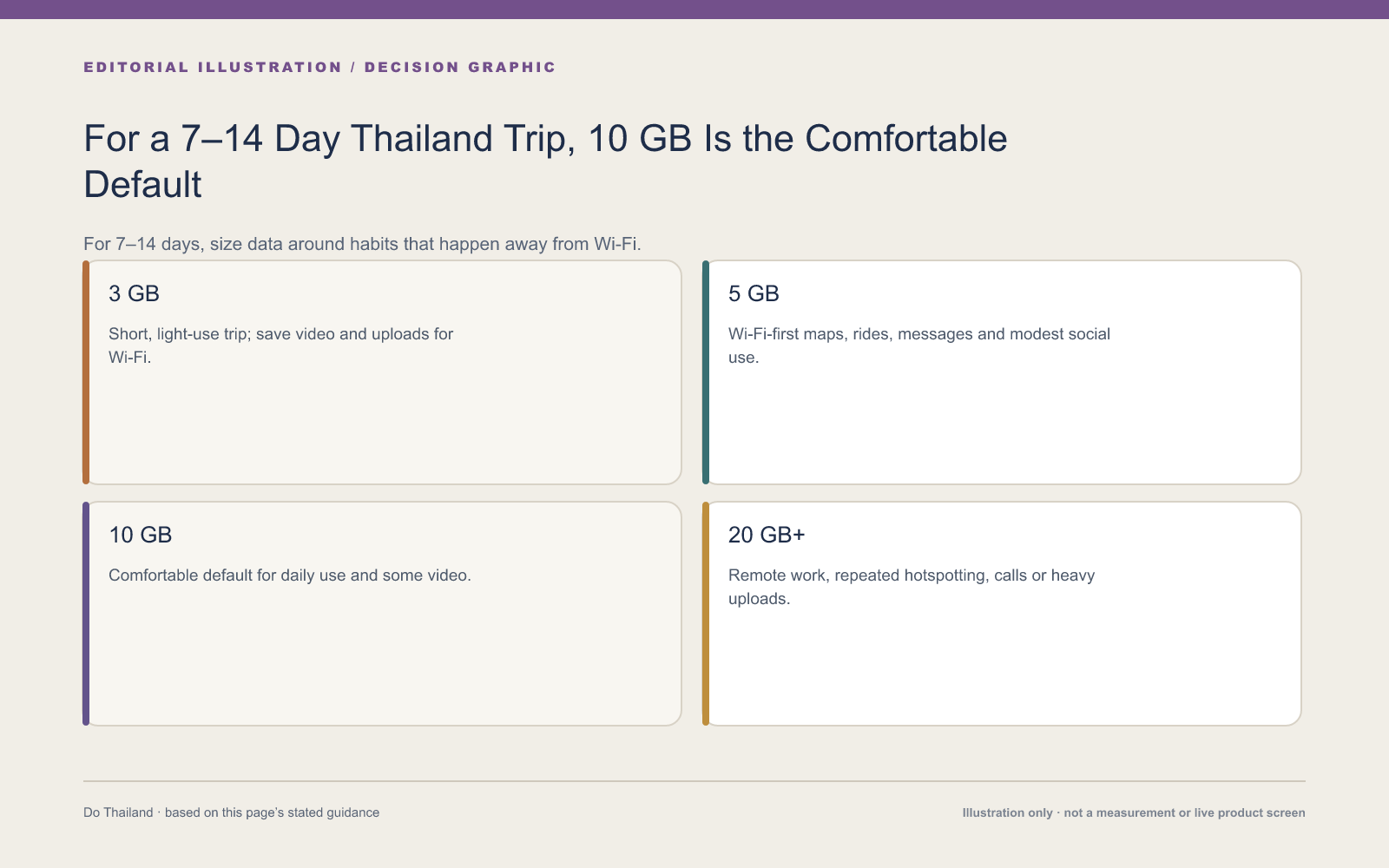
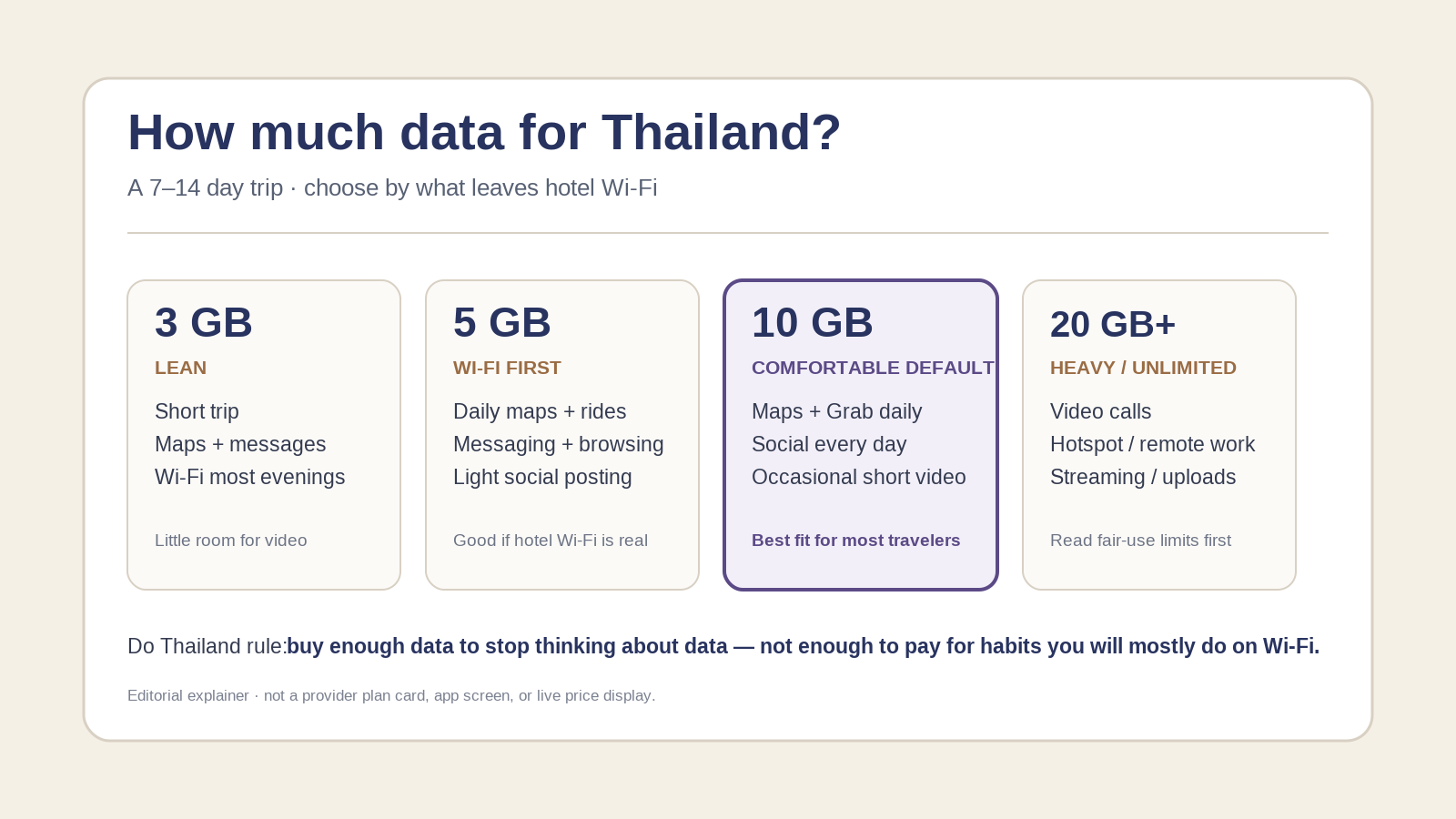
3 GB: workable for a short, light-use trip when Wi-Fi does most of the heavy lifting.
5 GB: sensible for a Wi-Fi-first traveler who uses navigation, ride apps, messaging and modest social media every day.
10 GB: the comfortable default I would choose for most 7–14 day trips because it leaves room for imperfect hotel Wi-Fi, transfer days and some video without turning data monitoring into another travel task.
20 GB or unlimited: pay for this when you already know you will stream, hotspot a laptop, take frequent video calls or upload large amounts of video over mobile data.
If your more basic question is whether to buy a travel eSIM before departure or wait for a Thai carrier SIM/eSIM after landing, start with Thailand eSIM vs airport SIM. This page assumes you have already decided to buy mobile data and now need to choose the size.
Do not count every hour of the trip as a mobile-data hour
Thailand hotel Wi-Fi, café Wi-Fi and airport Wi-Fi mean your phone will not normally use mobile data at the same rate all day. The more useful question is: what do you keep doing when Wi-Fi disappears?
For a traveler mainly using maps, ride-hailing, messaging, tickets, translation, restaurant searches and occasional photos outside Wi-Fi, 5–10 GB may be enough for a two-week trip. Video, backups, hotspot use and uneven Wi-Fi can change that quickly.
The plan gets stressed when high-volume habits leave Wi-Fi too: long video calls, Reels/TikTok/YouTube autoplay, cloud photo backup, hotspotting a laptop, streaming music or video for hours, or uploading camera footage while moving between hotels.
3 GB
Best for a short trip, light messaging, navigation and travelers who deliberately save video and uploads for Wi-Fi.
5 GB
Enough for many normal travelers if hotel Wi-Fi is part of the plan and social/video use stays modest.
10 GB
My default for 7–14 days when you want daily navigation, rides, social media and some video without checking the meter every evening.
20 GB+
For remote work, repeated hotspot use, video calls, heavy streaming or travelers who actively create and upload video while out.
Seven days and fourteen days are not the same 10 GB
The same allowance feels very different depending on trip length. The arithmetic is simple, but seeing the daily budget usually makes the choice clearer.
On a 7-day trip
5 GB ≈ 714 MB/day 10 GB ≈ 1.4 GB/day.
Five gigabytes is reasonably forgiving if the hotel handles video and backups. Ten gives you far more room for spontaneous mobile use.
On a 14-day trip
5 GB ≈ 357 MB/day 10 GB ≈ 714 MB/day.
Five gigabytes becomes a conscious budget. Ten is much easier to live with when every transfer, map check and social upload is repeated for two weeks.
I would not obsess over the daily number itself. Data use is lumpy. An airport day can be light, while a long van or ferry transfer can lead to hours of browsing, music or video. The point is to notice how little margin 5 GB gives you over 14 days if you are not naturally Wi-Fi-first.
The three habits that push you up a tier are video, backups and hotspotting
Navigation and ride apps are important because you need them at the exact moment Wi-Fi disappears, but they are not usually the reason a normal traveler suddenly burns through a large allowance. The bigger risk is background and media behavior.
Apple’s current mobile-data controls are revealing here: its Low Data Mode reduces background network use, pauses automatic downloads and backups, and lowers some streaming quality. Apple also warns that allowing more data on 5G can enable higher-quality FaceTime, HD media, iOS updates and automatic iCloud backups over cellular. Those are exactly the behaviors that make a small travel allowance disappear faster than expected.
Android gives you a similar lever. Google’s Data Saver limits background cellular use for most apps while still allowing actively used apps to access mobile data.
Move up one data tier if two or more of these are true
- You regularly watch short-form video on mobile data rather than waiting for Wi-Fi.
- You plan to make several long video calls during the trip.
- You will hotspot a laptop or a second device.
- You upload full-resolution photos or video from the road.
- You are changing hotels often and do not want to depend on every property’s Wi-Fi quality.
- You are traveling with a child or partner who may borrow your hotspot for entertainment.
“Unlimited” does not always mean unlimited high-speed data
Read the fair-use line before paying more. Checked October 12, 2026, Airalo’s published fair-use policy for unlimited plans says speeds may be reduced to 1 Mbps after 3 GB in a day; its Thailand store currently lists unlimited options, but confirm the terms attached to the exact package. Saily’s Thailand store currently lists a 15-day unlimited option with 5 GB per day without a speed limit, followed by unlimited data at up to 1 Mbps.
Those are not bad products. They are reminders that “unlimited” answers the question “will the data stop?” more clearly than it answers “will the data stay fast all day?” If you only need 8–10 GB across the entire holiday, a fixed-data plan can be the cleaner purchase.
Provider terms change, so check the exact package you are about to buy rather than assuming every unlimited plan has the same daily threshold.
For two friends or a couple, I would usually buy two moderate plans instead of one giant hotspot plan
Sharing one phone’s data sounds efficient until you split up in a night market, one person goes back to the hotel, the hotspot drains the host phone’s battery, or the person holding the data plan is already in a Grab while the other is still trying to find the pickup point.
Independence is worth something. Two 5 GB or two 10 GB plans are often a more practical travel setup than one heavy plan used as a permanent hotspot. I would treat hotspotting as backup or laptop use, not the basic connectivity architecture for two adults moving independently.
Which allowance fits your actual Thailand trip?
Bangkok + Chiang Mai city trip
5–10 GB. You will have plenty of Wi-Fi opportunities. Ten is more relaxed if social media and ride apps stay active all day.
Phuket / Krabi / Samui island-heavy trip
10 GB is the safer lean. Airport-pier-hotel handoffs, boat-day messaging and weaker Wi-Fi moments make a little extra margin useful even if the sea itself is not consuming data.
Remote work or creator trip
20 GB or unlimited. The reason is not Thailand; it is your workload, hotspot use and media uploads.
If 10 GB or an unlimited plan fits your trip, compare the current packages — not old screenshots
Airalo currently lists Thailand fixed-data options alongside unlimited packages, while Saily currently lists 1 GB through 20 GB plus unlimited. Plan lengths, prices and fair-use rules can change, so use the provider page as the final check rather than treating any travel article as a live price sheet.
Use day two as calibration, not day twelve as a surprise
- Before the trip: check your normal mobile-data use on the phone you are actually bringing. On iPhone you can view per-app cellular use and reset statistics; Saily also documents checking remaining data in its app and through iOS or Android settings.
- After the first full day: look at what used the data. If one social or media app dominates, change that app’s mobile-data behavior instead of buying a much larger plan immediately.
- On a limited plan: use iPhone Low Data Mode or Android Data Saver if you want the phone to cut background consumption while leaving the apps you are actively using available.
- Keep cloud backups and large downloads for Wi-Fi: this is the easiest way to make a 5–10 GB travel plan behave like a much bigger one.
Transfer days are when “just enough data” starts to feel annoying
Extra data is most valuable when the day has several small handoffs and you do not want to ration your phone while solving them. Bangkok airport choice alone can change the rail and road sequence; see BKK vs DMK. A late Chiang Mai landing is another case where being able to keep the phone useful through the curbside handoff matters; read Chiang Mai Airport after 10 PM.
On the islands and Andaman coast, the sequence can be longer. Phuket Airport to Patong is a road-only arrival, while Phuket Airport to Rassada Pier adds connection timing for Phi Phi. Krabi arrivals can continue to Ao Nang, and Samui arrivals may still require the final local handoff described in Samui Airport to Chaweng or Bophut.
Pattaya is a good reminder that local transport can also depend on an exact pin. Our Pattaya baht bus vs Grab guide explains why a route-based ride and an app-based ride solve different last-mile problems. None of these pages requires huge data consumption. They are simply moments when running out of data is disproportionately irritating.
My final rule
For a normal 7–14 day Thailand holiday, buy 10 GB if the price difference from 5 GB is acceptable to you and you do not enjoy monitoring usage. Choose 5 GB if you naturally move heavy activity onto Wi-Fi. Choose 20 GB or unlimited only when you can name the high-data behavior that justifies it.
You can always pay for more data. You cannot get back the time spent managing an allowance that was too small from day three.