
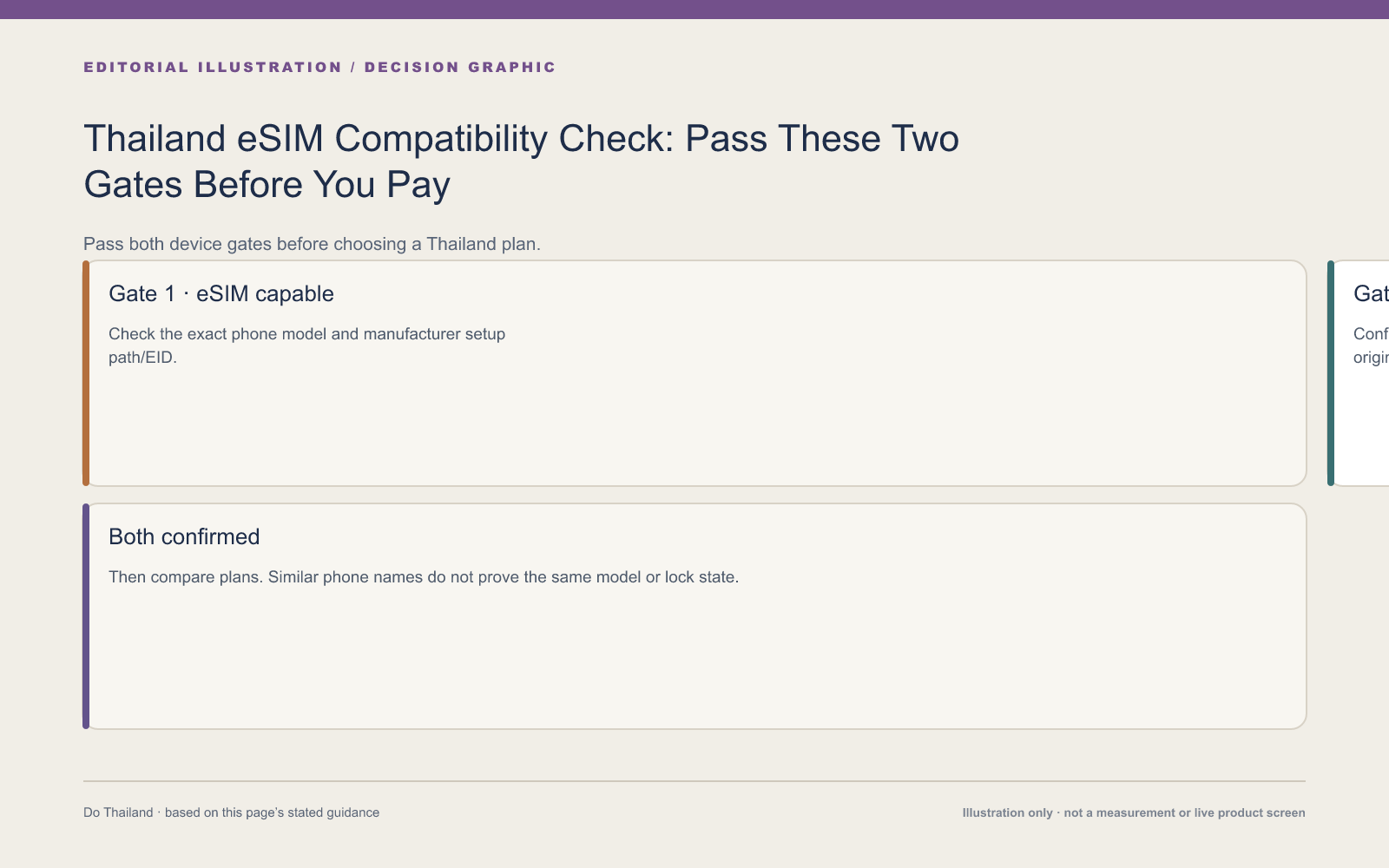
The 60-second answer
Gate 1: confirm that your exact phone can add an eSIM. Gate 2: confirm that it is carrier-unlocked. If either answer is uncertain, stop before checkout and verify it with the phone maker or the carrier that sold the device.
That is more useful than starting with Airalo versus Saily, because no travel plan can fix a phone that cannot accept another carrier's eSIM profile.
Can this exact phone add an eSIM?
Look for the manufacturer's eSIM setup path, an Add eSIM option, or the EID/device information the manufacturer documents for eSIM-capable models.
Can it use another carrier?
An eSIM-capable phone can still be locked. Apple exposes a clear Carrier Lock field; Android lock status is less uniform, so the original carrier may need to confirm it.
If you are still deciding between buying before departure and getting a Thai tourist SIM after landing, read Thailand eSIM vs airport SIM after you pass this page's compatibility check. Compatibility comes first; shopping comes second.
Why the phone model name is not enough
“iPhone,” “Pixel” and “Galaxy” are families, not compatibility guarantees. eSIM support can depend on the exact model, market, carrier and software configuration. Samsung's current support material explicitly says eSIM service can vary by country and carrier. Saily likewise warns that its compatibility list changes as devices are released and that availability differs by country.
This matters when a friend says, “I used an eSIM on the same phone.” Two devices with a similar retail name can have different regional or carrier histories. A used phone may also have been sold under a carrier lock even though the hardware supports eSIM perfectly.
So treat a provider compatibility list as a useful filter, not the final proof. The strongest pre-purchase check uses your actual phone in your hand, plus the manufacturer's own settings or device identifiers.
Fast check: iPhone, Pixel and Samsung Galaxy
| Phone | eSIM capability check | Carrier-unlock check | What should stop checkout? |
|---|---|---|---|
| iPhone | Look for the eSIM setup option in Cellular/Mobile Service settings and confirm your model/region supports eSIM. | Apple: Settings → General → About → Carrier Lock. “No SIM Restrictions” means unlocked. | No eSIM option, a carrier restriction, or uncertainty about a regional variant. |
| Google Pixel | Google currently documents Settings → Network & internet → SIMs → Add SIM → Set up an eSIM. Google also documents an EID on eSIM-capable Pixels. | There is no single Android field that works like Apple's Carrier Lock label across every device/carrier. Confirm with the original carrier when in doubt. | No eSIM setup path where your model should have one, no expected EID, or an unresolved carrier restriction. |
| Samsung Galaxy | Samsung currently documents Settings → Connections → SIM manager → Add eSIM on supported Galaxy devices. | Carrier/market conditions still matter; Samsung says eSIM service may vary by country and carrier. Confirm unlock status with the seller/carrier if unclear. | Add eSIM is missing on a supposedly supported model, or the device/carrier variant is not confirmed. |
iPhone: use Apple's Carrier Lock field, not guesswork
Apple gives iPhone users the cleanest unlock test. In its current international-travel guidance, Apple says an iPhone must not be locked to a carrier if you want to use another carrier while travelling. Go to Settings → General → About. If the phone is unlocked, Apple says “No SIM Restrictions” appears next to Carrier Lock.
That solves only Gate 2. You still need an eSIM-capable iPhone configuration for Gate 1. If your iPhone's regional variant does not expose the expected eSIM setup option, do not assume the absence is a temporary bug and buy first. Verify the exact model and market with Apple.
If your main reason for keeping two lines is bank verification, the next guide is Thailand eSIM + home SIM for OTPs. An unlocked phone can run a travel-data plan without forcing you to throw away your home number.
Pixel: the Add SIM path and EID give you stronger evidence
Google's current Pixel setup guide documents the eSIM path as Settings → Network & internet → SIMs → Add SIM → Set up an eSIM. Google also explains that a phone needs an EID to use an eSIM, and documents where Pixel owners can find that identifier.
Those are useful capability signals, but they do not erase carrier restrictions. If the Pixel came from a mobile operator, financing plan, enterprise fleet or second-hand sale, confirm the unlock state before assuming a travel provider can install successfully.
Once the phone passes both gates, installation timing becomes the next decision. Use when to install and activate a Thailand eSIM so you do not confuse profile installation with the provider's validity clock.
Galaxy: check the exact model and market, then SIM Manager
Samsung's current support pages show Settings → Connections → SIM manager → Add eSIM for supported Galaxy devices. Samsung also warns that eSIM availability can vary by country and carrier. That is why “my Galaxy is new” is not enough evidence.
If Add eSIM is missing, first check the exact model number and official Samsung support for the market where the phone was sold. Do not buy a Thailand plan in the hope that scanning a QR code will make the missing menu appear.
If the phone is already in Thailand and an installed profile has no data, this is no longer a compatibility article. Move to the ordered Thailand eSIM troubleshooting guide instead of repeating pre-purchase checks.
Use a four-level proof ladder before checkout
“My model is on a list”
Useful for screening, but not enough when regional and carrier variants exist. Keep checking.
The phone exposes Add eSIM
This is strong evidence that the device software/hardware path exists. It still does not replace an explicit unlock check where one is available.
Manufacturer eSIM identifiers/settings match
For example, Google documents the EID as an identifier needed for eSIM use on Pixel. Manufacturer-controlled device information is stronger than a reseller's generic list.
eSIM capability + carrier unlock are both confirmed
Now plan type, data allowance and provider matter. Before this point, they are distractions.
What Airalo and Saily require right now
Airalo's current support guidance says a network- or carrier-locked device cannot install its eSIM and directs the user to the mobile carrier to unlock the device. Its compatibility material also tells users to check device support before purchase.
Saily's current activation guidance likewise lists two prerequisites before setup: the device must be eSIM-compatible and carrier-unlocked. Saily maintains a current device-compatibility checker/help article and warns that compatibility can differ by country.
This is one of the rare parts of the buying decision where the providers broadly agree: compatibility and unlock status are prerequisites, not features you can add after checkout.
Five red flags that should delay the purchase
1. The phone was bought from a carrier and you never checked its unlock status. Carrier purchase does not automatically mean locked, but it is enough reason to verify.
2. You are using only the marketing name. “Galaxy S-series” or “Pixel” is not the same as checking the exact device and market.
3. Add eSIM is missing. If official support says your exact variant should have one, resolve that mismatch before checkout.
4. The device is managed, rooted or jailbroken. Airalo's current compatibility material says the device should not be jailbroken or rooted. Managed devices may also have administrator restrictions that a travel provider cannot override.
5. You are hoping a refund will rescue an uncertain purchase. Refund rules depend on provider and plan state. If compatibility is still uncertain, do not create a preventable refund case; the separate Thailand eSIM refund guide is for problems that already happened.
If the phone is locked, a physical SIM may not solve it either
A common mistake is to think, “Fine, I will just buy a physical SIM at the airport.” A carrier lock can prevent you from using another carrier, whether you choose eSIM or a physical SIM. If the whole phone is locked to the original carrier, swapping a physical Thai SIM may still fail.
The clean next step is to ask the original carrier whether the phone is eligible to be unlocked and what process applies. Do not pay for a Thai eSIM and a Thai physical SIM before you know the device can use either.
If you have a separate unlocked phone or the current phone's physical-SIM path is confirmed usable, then the airport SIM versus pre-travel eSIM decision becomes relevant again.
What to do after you pass compatibility
Compatibility is only the entrance gate. After that, choose the plan around the trip rather than around the fact that it can install:
- For a normal 7–14 day trip, estimate usage with how much data you need in Thailand.
- For a month-long stay, compare one larger plan with the 30-day plan + top-up strategy.
- If you are travelling beyond Thailand, use the Thailand-only vs Asia regional eSIM decision.
- If you need ordinary calls, SMS or a new local number, read Do You Need a Thai Phone Number? before buying a data-only plan.
- If two people are considering one shared connection, compare one hotspot plan vs two eSIMs.
If compatibility or unlock status is uncertain, wait to buy and confirm both first
If you cannot confirm both eSIM support and carrier unlock, do not buy yet. Save the exact model number, check the manufacturer's support page and contact the original carrier if the lock state is unclear.
If both gates pass and your existing roaming package is already good enough for the trip, you also do not need a travel eSIM just because your phone supports one. Compatibility creates an option; it does not create a need.
If your phone is eSIM-ready and unlocked, compare the live Thailand options
Now it makes sense to shop. Re-check the exact plan's validity, data allowance and activation instructions on the live provider page before checkout; those details change more often than phone compatibility rules.
Compatibility questions worth checking before the flight
Does “Add eSIM” prove my phone is unlocked?
It is a strong capability signal, but do not use one generic rule for every operating system and carrier. On iPhone, Apple's Carrier Lock field gives the clearer unlock answer. On Android, confirm with the original carrier if there is any doubt.
What is an EID?
It is an identifier associated with an eSIM-capable device. Google says a phone needs an EID to use an eSIM and documents where Pixel owners can find it. You do not normally need to type it into a travel-eSIM checkout, but it can help confirm that the eSIM path exists or help a carrier support case.
My phone supports eSIM but was bought second-hand. What should I check?
Check both the exact model/region and the carrier-lock status. A second-hand phone can be technically eSIM-capable while still carrying a restriction from its original carrier history.
Should I install the eSIM just to prove compatibility?
Not before you understand the provider's activation rules. First prove the phone can accept eSIM and is unlocked. Then read the provider's live installation instructions and the Do Thailand activation-timing guide.