
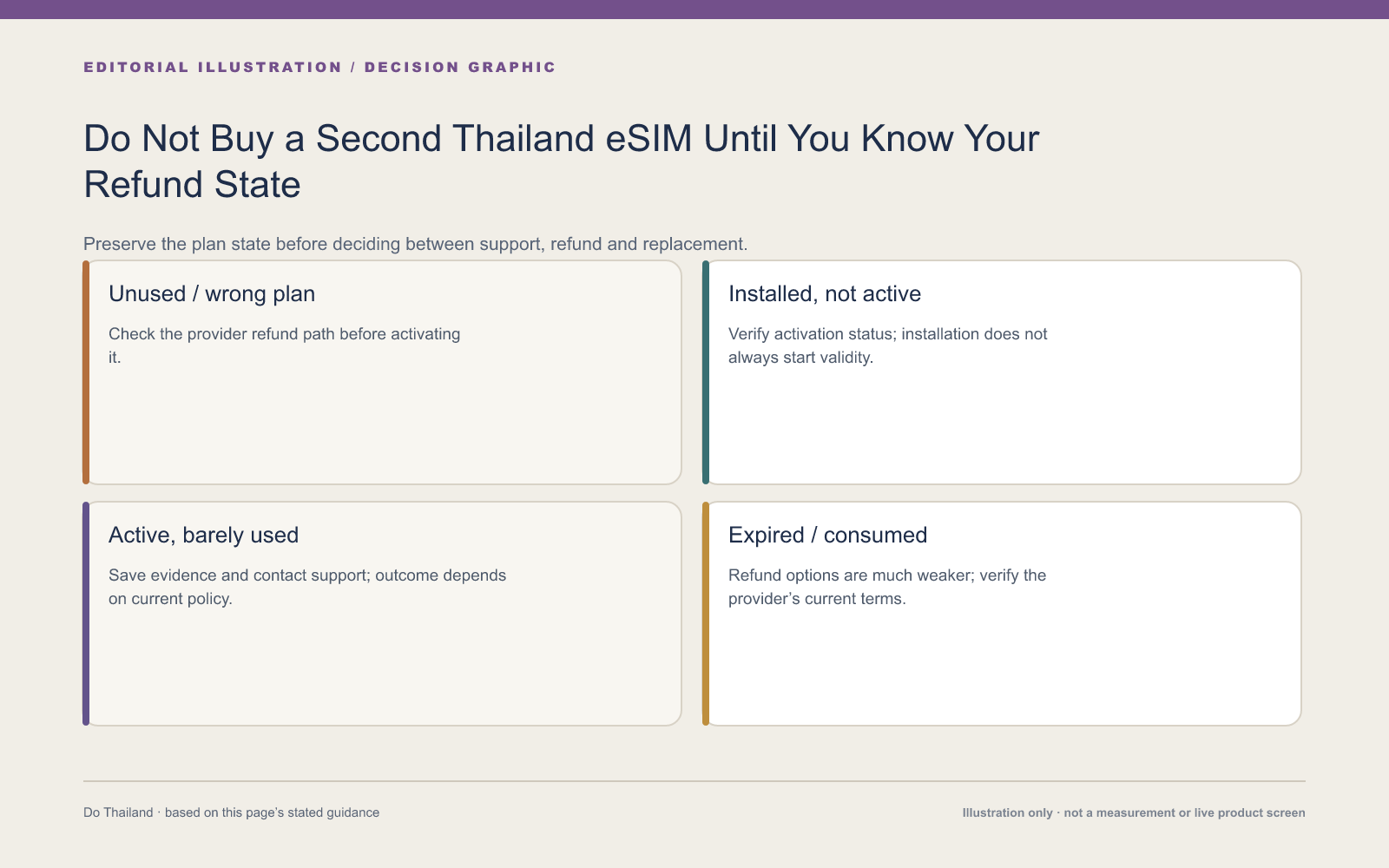
The practical answer
Refund or support first when the plan is still unused, barely used or plausibly recoverable. Buy again only when your immediate travel need is more important than waiting, or the original plan has clearly crossed its recovery/refund boundary.
If you are landing alone late and need maps or a ride app now, restoring usable data can matter more than protecting a small refund. If you are still on airport or hotel Wi-Fi with time, there is usually more value in preserving evidence and contacting the original provider before you add a second purchase.
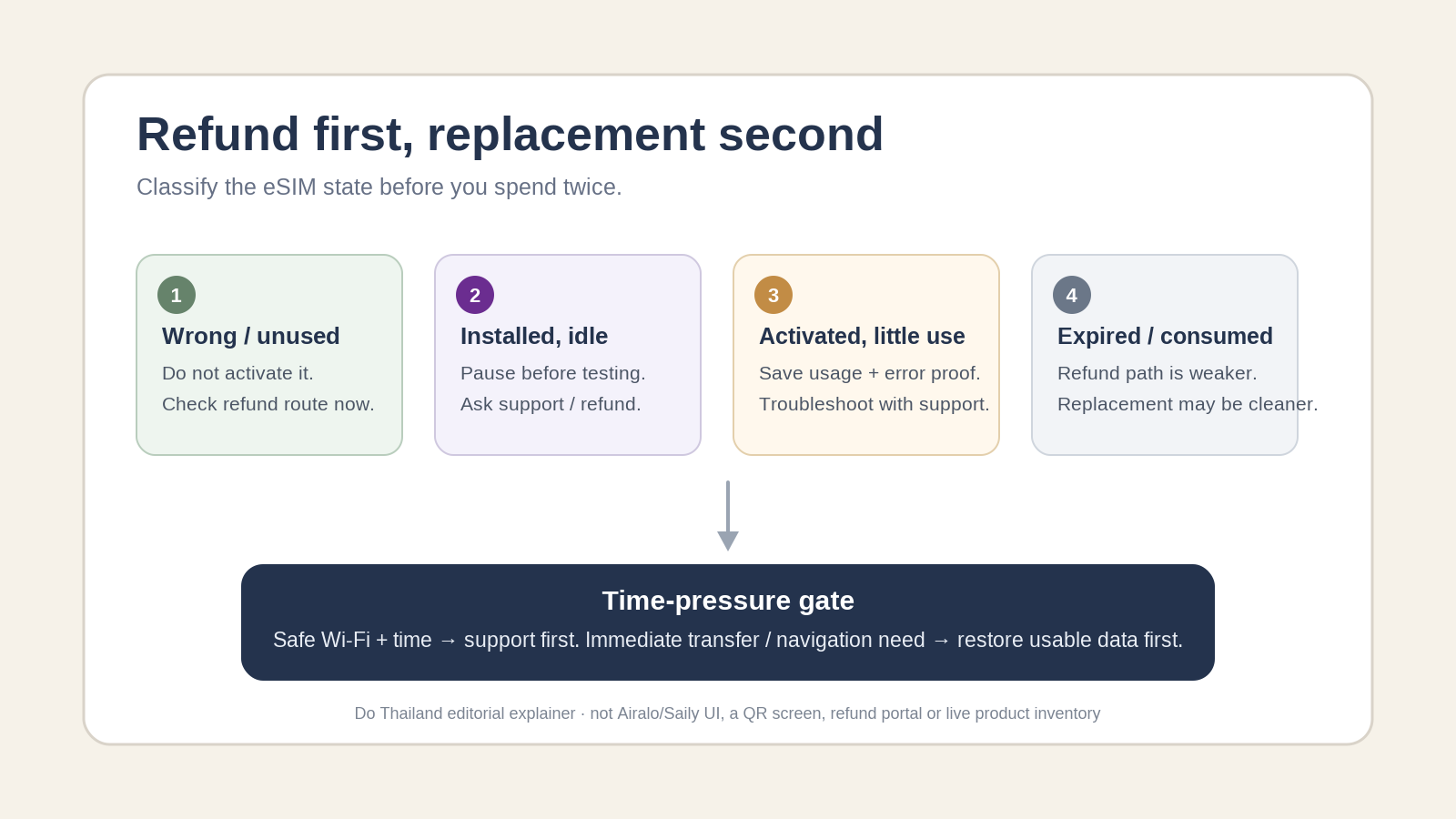
If the line has no data, first check the data line, roaming, APN and network connection. Then use this page to decide whether a purchase problem calls for a refund request, further support or a replacement plan.
Four refund states matter more than the provider logo
1. Wrong plan, not activated
This is the cleanest moment to stop. Do not activate it simply to “see if it works.” Open the provider account and check the refund path while the order is still unused.
2. Installed, but the plan has not activated
Installation and activation are not always the same event. Before changing settings repeatedly, confirm the actual activation state. Our installation-versus-activation guide explains why the distinction matters.
3. Activated, but almost no data was used
This is a support-and-evidence case, not an automatic no. Both providers currently publish routes for certain activated/problem plans, but the thresholds and remedies differ.
4. Expired or fully consumed
The refund path becomes much weaker. Airalo's current self-service guidance excludes expired or fully used eSIMs; Saily's current terms say expired or fully consumed non-subscription services are not refundable.
There is a useful pre-purchase lesson here too. If the mistake was buying Thailand-only coverage when your itinerary continues to another country, do not activate the wrong product out of impatience. Check the separate Thailand-only versus Asia regional eSIM decision first.
Airalo vs Saily refund rules: the current practical differences
| Situation | Airalo — current published route | Saily — current published route | Do Thailand move |
|---|---|---|---|
| Wrong purchase / plans changed | Eligible Airalo orders can show a Request Refund button. Airalo's current Help Center says these two reasons are refunded to Airmoney rather than the original payment method through that self-service path. | If the eSIM has not been installed or the data plan has not activated, Saily says a full refund may be requested within 30 days of purchase. | Do not activate. Request the refund before creating more usage history. |
| Installation problem / eSIM not working | Airalo's current self-service flow lists installation issues and eSIM not working as refund reasons; where eligible, it says Airmoney or the original payment method can be offered. | Once installed and activated, Saily treats the plan as used, so refund eligibility depends on the reason for the request and support review. It says full or partial refunds may be considered for Saily-related quality problems. | Save the error state, then cooperate with troubleshooting rather than deleting the profile. |
| Activated, nearly unused | Airalo's July 2026 terms describe replacement/refund conditions for activated services unusable because of Airalo error/omission or service withdrawal, including a claim window and troubleshooting cooperation. | Saily says an activated plan may be considered for full or partial refund when more than 99% of the data remains unused, subject to its terms and discretion. | Capture usage before more tests consume data, then ask support what remedy applies. |
| Expired / fully used | Airalo's refund button guidance says expired or fully used eSIMs are not eligible for that refund route. | Saily's current consumer terms say expired or fully consumed non-subscription services are not refunded. | Do not spend an hour fighting a closed state if you need connectivity now; replacement may be the cleaner decision. |
Policies are not interchangeable. They can also change. The comparison above was rechecked against provider-controlled sources on 11 August 2026. Refund outcomes depend on the provider’s current rules and the consumer law that applies in your country; check your local statutory rights before submitting a request.
Airalo: check the self-service refund reason before you touch the plan again
Airalo's current Help Center puts the refund request inside the Airalo account: My eSIMs → the package → Package History, or Profile → Orders. The Request Refund button only appears for eligible orders.
- Wrong purchase / plans changed: the current Help Center says Airmoney is the available self-service refund method for these reasons.
- Installation issues / eSIM not working: the current Help Center says eligible requests can choose Airmoney or a credit to the original payment method.
- Expired or fully used: the Help Center says those eSIMs are not eligible for the self-service refund button.
- No button: Airalo tells users to contact support. It specifically recommends contacting support before attempting installation or use when you need help with a wrong-purchase case.
Airalo's July 2026 consumer terms add a second layer. They describe a 14-day withdrawal right that ends earlier if the eSIM activates, and separate replacement/refund conditions for an activated service that cannot be used because of an Airalo error or omission. Those provider-fault terms include requesting within 30 days of the issue, cooperating with troubleshooting, and Airalo being unable to restore service within 10 days after receiving the refund request. If some service credit was consumed, the terms say only the unused portion is refunded.
That is why “I used it for a few minutes, therefore there is definitely no refund” is too simple — but so is “it did not work immediately, therefore I am definitely owed a refund.” Use the current reason shown in your account and the current terms for your specific case.
Saily: non-activation is the cleanest refund boundary
Saily's current Help Center is unusually clear about the first branch: if the eSIM has not been installed or the data plan has not been activated, you may request a full refund within 30 days of purchase.
After installation and activation, Saily treats the data plan as used, so refund eligibility depends on the reason for the request and support review. Its current Help Center says a partial or full refund may still be considered when a Saily-related quality issue prevented meaningful use, or when more than 99% of the data plan remains unused.
Saily's consumer terms, last updated 5 June 2026, add that non-subscription refund requests must be made within 30 calendar days of purchase; an expired or fully consumed non-subscription service is not refunded. For an admissible request, Saily says it will make its refund decision within five business days, and an approved refund is processed within a reasonable time not exceeding 30 calendar days.
If you are using a subscription, phone-number product or another Saily service rather than a standard prepaid travel data plan, do not copy the thresholds above blindly; the same terms publish separate rules for those products.
Save a six-part evidence packet before you reset or delete anything
Make support's job easier — and keep your own story consistent
Do not delete the profile simply because you hope a refund will become easier. Provider reinstall/recovery behavior differs. Read Can You Delete and Reinstall a Thailand eSIM? before removing a paid profile.
Support first or buy again? Use the travel clock, not frustration
Support first
Choose this lane when you still have reliable Wi-Fi, the plan is unused or barely used, you can document the failure, and your next transfer does not depend on mobile data in the next few minutes.
This is especially sensible when the provider can still fix the line without making you buy twice.
Restore data first
Choose this lane when you must leave Wi-Fi now and mobile data is part of the travel plan — for example, you are landing alone late and need Grab/maps, your driver is messaging you, or you are moving through a time-sensitive airport-to-pier handoff.
Buying a replacement is a travel-continuity decision here, not a verdict that the original refund will be approved.
For the airport version of this problem, use the Suvarnabhumi eSIM exit test before you leave BKK Wi-Fi. For a moving transfer chain, the Phuket Airport → Rassada Pier connectivity guide shows why live driver contact and offline ferry details matter more than continuing to troubleshoot indefinitely.
Do not buy a second plan as a diagnostic test
A replacement should solve a clear problem: the first provider cannot restore the line in time, your plan is ineligible/expired/consumed, or the current trip needs a second provider by design. Buying another eSIM just to see whether “maybe this one works” creates a second installation, a second set of settings and a second payment to keep track of.
If the actual mistake was plan sizing rather than technical failure, use the 30-day plan vs top-up decision instead. If the mistake was buying a line without the phone feature you needed, check whether you really need a Thai number or calls/texts.
One more refund trap: your home SIM is a separate bill
If you temporarily turn your home SIM back on while the travel eSIM is failing, do not let the phone silently move mobile data onto the home line. A provider refund for the travel eSIM does not magically erase unrelated home-carrier roaming costs. Keep the travel/data route explicit, or use the home SIM + bank OTP setup to separate incoming messages from mobile data.
No-buy state: the best outcome can be fixing what you already paid for
If support restores the connection, the plan is still the right country/validity, and you have enough remaining data, stop shopping. You do not need a second eSIM merely because the first ten minutes were annoying.
The same principle applies before the trip. If you are still at the purchase stage, the broader Thailand eSIM vs airport SIM decision is more useful than starting with refund rules.
If you genuinely need a replacement now, compare a current Thailand plan
Use this only when the original plan is not being restored in time, is expired/consumed, or you have deliberately decided to switch. Re-check the exact installation and activation rules before paying so the replacement does not recreate the first problem.
Refund questions travelers usually ask
Can I get an Airalo refund if I bought the wrong Thailand eSIM?
Airalo's current self-service help says eligible orders can show a Request Refund option. For “Wrong purchase” and “Plans changed,” the current self-service route offers Airmoney. Check the order before installing or using it, because eligibility depends on the state of the purchase.
Can Saily refund a Thailand plan I have not activated?
Saily's current Help Center says that if the eSIM has not been installed or the data plan has not been activated, you may request a full refund within 30 days of purchase. Approval still follows the live policy and your specific order.
What if the eSIM activated but never worked properly?
Do not jump straight to deletion or a second purchase. Save the usage balance and error state, complete the provider's troubleshooting steps, and ask support which activated-plan remedy applies. Both Airalo and Saily publish circumstances where an activated/problem plan can still be considered for replacement or refund.
Should I wait for a refund before buying another eSIM?
Not always. If you are safe on reliable Wi-Fi and have time, support first usually preserves more options. If you must leave Wi-Fi for a late-night ride, a pier transfer or another time-critical handoff, restoring usable data may be the more important travel decision. Keep the two decisions separate: a replacement purchase is separate from the original refund case; check the provider’s terms and request status for each.
Does this guide guarantee a refund?
No. Provider policies, order states and local consumer rights vary. This page summarizes provider-controlled sources checked on 11 August 2026 and helps you choose the next step; the provider or relevant seller decides the actual case under its current terms.