
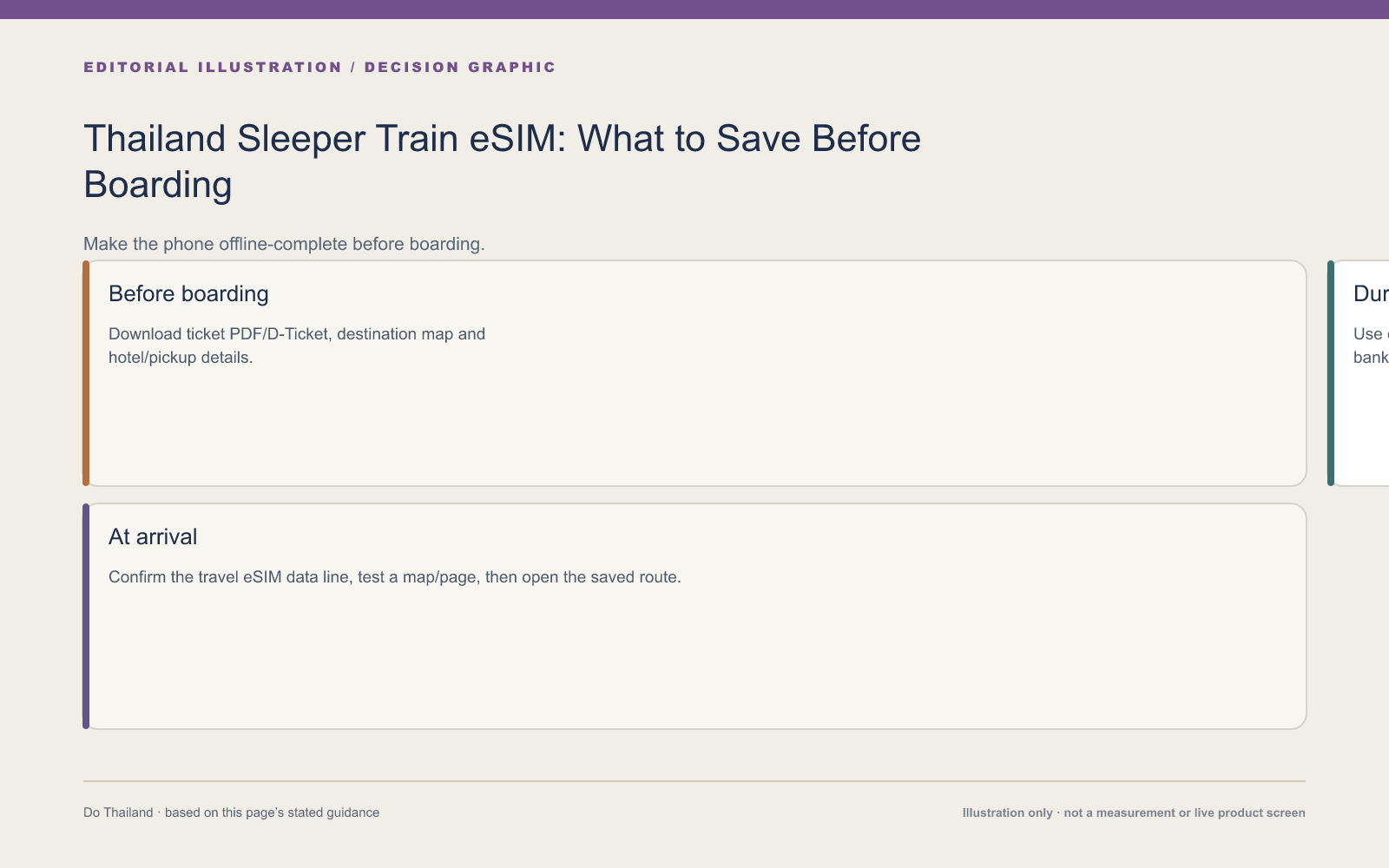
Think of live data as most valuable at two edges of the trip: while you are getting onto the right train and when you step into the destination city. The hours in the berth are the easiest part to make offline. Download entertainment, maps and booking details before the train moves rather than turning a long rail journey into a reason to overbuy data.
This guide is for travelers who have already chosen the train. If you are still deciding whether the overnight rail journey makes sense at all, start with Bangkok to Chiang Mai: sleeper train or flight. If the train is fixed but you still need to reach the station, the separate Krung Thep Aphiwat MRT vs Grab guide handles that door-to-terminal decision.
Split the phone job into three moments
Prove the essentials
Open the ticket PDF or D-Ticket, test the travel eSIM on cellular rather than station Wi-Fi, download the destination map and save the exact hotel or pickup point.
Spend battery, not attention
Use downloads for entertainment, keep the phone and power bank close, and avoid making network-setting changes while the train is moving unless you have a real problem to solve.
Reconnect deliberately
Once you are stationary or on the platform, confirm the travel eSIM is still the data line, test one map or webpage, then open the saved hotel route or pickup conversation.
Save the train ticket offline so it remains available without a connection
State Railway of Thailand currently allows passengers to show an emailed travel ticket in PDF format or the SRT D-Ticket app on a device instead of a paper ticket. SRT's current station guidance for Krung Thep Aphiwat also says the original paper ticket, a PDF file or D-Ticket can be scanned at the entrance gate before the platform; a photograph of the original paper ticket is not the same thing.
That makes “I can find the email when I have signal” a weak plan. Download the actual PDF to Files/Downloads, or make sure D-Ticket opens properly before you leave reliable internet. The railway's own current Train 9 page lists the northbound Special Express from Krung Thep Aphiwat to Chiang Mai as departing at 18:40, so there is no reason to leave this check until you are standing at the gate.
Build this seven-item sleeper packet before boarding
The valid rail ticket file
Keep the PDF or functioning D-Ticket available locally. Do not make a casual screenshot of a paper ticket your only gate credential.
Your exact arrival station
Save the station name and the service you booked. “Chiang Mai tomorrow morning” is less useful than having the actual train and destination visible while half-awake.
Save the exact hotel entrance, address and any reception instructions
Save the pin, address and a screenshot of any unusual entrance or reception note. If the room will not be ready early, save the property's luggage-storage instructions too.
An offline map around the station and hotel
Download enough area to cover the arrival station, the hotel and the obvious road corridor between them. Do this while you still have fast Wi-Fi.
The arrival contact thread
If a driver, host or hotel expects you, keep the conversation easy to find and save the key meeting point separately. If keeping your usual account identity matters, review the WhatsApp, LINE and iMessage eSIM setup before the trip.
Your eSIM instructions
Take a screenshot or offline note of the provider's exact APN, roaming and network instructions if your plan has any. Never invent an APN because a moving train briefly loses service.
A morning fallback
Save enough information to leave the station without live search: hotel address, route overview, property phone/contact and the name of the transport option you intend to use.
Train 9 shows why the morning matters more than the night
Use Bangkok–Chiang Mai Train 9 as a worked example, not as a promise about every sleeper. SRT's current service page lists the 18:40 departure from Krung Thep Aphiwat. The existing Do Thailand transport guide tracks the current overnight timing and the next-morning arrival decision; your connectivity preparation should follow the same logic.
Offline maps are useful, but Google and Apple do not behave the same way
Google Maps currently lets you download an area and navigate offline when the route is inside that downloaded area. On Google Maps, however, walking, cycling and public-transport directions are unavailable offline. That matters if your Chiang Mai plan is “walk out, then figure out a songthaew or local route.” Save the hotel pin and a route overview rather than assuming the offline app will build every mode for you.
Apple currently documents broader offline-map routing on supported iPhones, including driving, walking, cycling and transit directions in downloaded areas. Features still vary by place and software, so the robust habit is the same on either platform: download the area, save the destination, and keep the essential handoff understandable without a fresh search.
A 12-hour train is not a 12-hour data requirement
If your existing Thailand eSIM has enough validity and data for the wider trip, the sleeper itself is not a good reason to upgrade to unlimited. Overnight streaming is optional; arrival navigation is not. Download video, music, podcasts and large app updates before the station, then preserve mobile data for the situations where being connected changes a decision.
If you are unsure about the allowance for the rest of the holiday, use the Thailand data-allowance guide. If you are doing laptop work rather than simply sleeping and traveling, the problem is different; the Thailand eSIM hotspot for remote work guide is the better decision page.
Get Dual-SIM routing right before the train moves
The rule: one line gets the data job.
On a Dual-SIM phone, make the travel eSIM the mobile-data line and stop the home SIM from quietly taking over. The exact roaming setting can depend on the provider, so follow that plan's instructions rather than copying a generic toggle from a screenshot.
Airalo's current iOS setup guidance tells users to select the installed eSIM as the mobile-data line, enter an APN only if the specific eSIM instructions require it, follow the plan's stated Data Roaming setting, and disable Cellular Data Switching to reduce the chance of the other line supplying data.
Saily's current guidance similarly tells travelers to make the Saily eSIM the mobile-data line, enable Data Roaming for the Saily profile, and disable the personal/primary SIM or mobile-data switching where appropriate to avoid unintended home-carrier roaming.
If this sounds unfamiliar, set it before departure and use the Thailand eSIM data-roaming guide. If something fails, check the Thailand eSIM troubleshooting order and the separate APN guide. Do not start by deleting the profile; the delete/reinstall guide explains why removal can create a harder recovery problem.
Battery is part of the network plan
On an overnight train, the phone is simultaneously your ticket carrier, alarm, map, messaging device and morning transport tool. Treat battery as infrastructure. A power bank, locally downloaded entertainment, a dimmer screen and less background activity are more useful than squeezing every possible online task into the ride.
For solo travelers, this is especially practical rather than dramatic: the phone you use for a quiet night of scrolling is the same phone you may want for a hotel message, navigation or ride request shortly after dawn. Keeping a useful reserve is simply good trip design.
If data is missing in the morning, use this order
- Get stationary first. Test at the platform or another stable place instead of treating a brief loss while the train is moving as proof the plan is broken.
- Confirm the travel eSIM is enabled. Make sure it is still selected for mobile data.
- Check the provider's roaming instruction. Airalo settings can be plan-specific; Saily currently requires Data Roaming on its eSIM profile.
- Stop automatic data switching. Keep the home line from becoming a surprise roaming-data fallback.
- Try one simple live task. Load the saved hotel in Maps or open a lightweight webpage instead of repeatedly refreshing several apps.
- Only then inspect APN or network selection. Enter only values supplied by the provider.
- Do not delete the paid profile as a first fix. Use your offline arrival packet, reach stable Wi-Fi if necessary, then continue troubleshooting or contact support.
If you reach Chiang Mai with working data but still have an early-room problem, shift back to itinerary planning rather than telecom troubleshooting. The Chiang Mai destination hub and four-day Chiang Mai itinerary help decide what to do with an early station arrival.
If the plan works before boarding, remains valid through the next day, and has enough data for the rest of your trip, do not buy another eSIM for the sleeper. Download the ticket, map and entertainment, keep the phone charged, and spend live data on the arrival handoff. If you later discover a real provider or plan problem, compare support/replacement options through the eSIM refund and support guide instead of paying twice immediately.
Bottom line: save first, then board
A Thailand sleeper train is one of the easiest transport days to make resilient because so much of the night can be offline by design. Keep the valid ticket credential local, save the destination and hotel handoff, download the map, test the travel eSIM before you leave reliable service, protect the home SIM from accidental data use and preserve battery for the morning.
The operating rule is simple: prove the phone before the train, let the berth work offline, and test live data again when you arrive.
Sources checked
Authoritative sources checked 12 August 2026: State Railway of Thailand current Train 9/10 service information, SRT passenger-ticket rules and Krung Thep Aphiwat gate guidance; Airalo Help Center current iOS mobile-data/APN/roaming instructions; Saily Help Center current activation, roaming and mobile-data-line instructions; Google Maps Help current offline-map limitations; Apple Support current offline-map guidance. Product settings and rail operations can change, so recheck the exact provider and SRT before travel.
Sources checked
External reference checks: SRT Train 9/10 · SRT ticket rules · Airalo Help Center · Saily Help Center · Google offline maps · Apple offline maps.